
How to create your first benchmark report
Your account is set up and you're ready to price a role. The good news: a full benchmark takes about three minutes and three short steps — define the role, set the offer, and generate the report.
This guide walks through each one, using a real example: an AI Engineer role based in Sydney. By the end you'll have a source-cited market range you can act on with confidence.
Before you start
Benchmarks run on credits, so make sure you're on a plan first. You can start for free with one report a month or pick a paid monthly plan — whichever fits how often you'll benchmark. See plans and pricing to choose one, then head to your account to run your first report.
Step 1 — Define the role
Everything starts with a job description. On the first step of the wizard, upload the JD — Word, PDF, or plain text all work — or paste the text straight in. EvenBetter's AI reads it and fills in the role structure for you, so you're not typing everything from scratch.
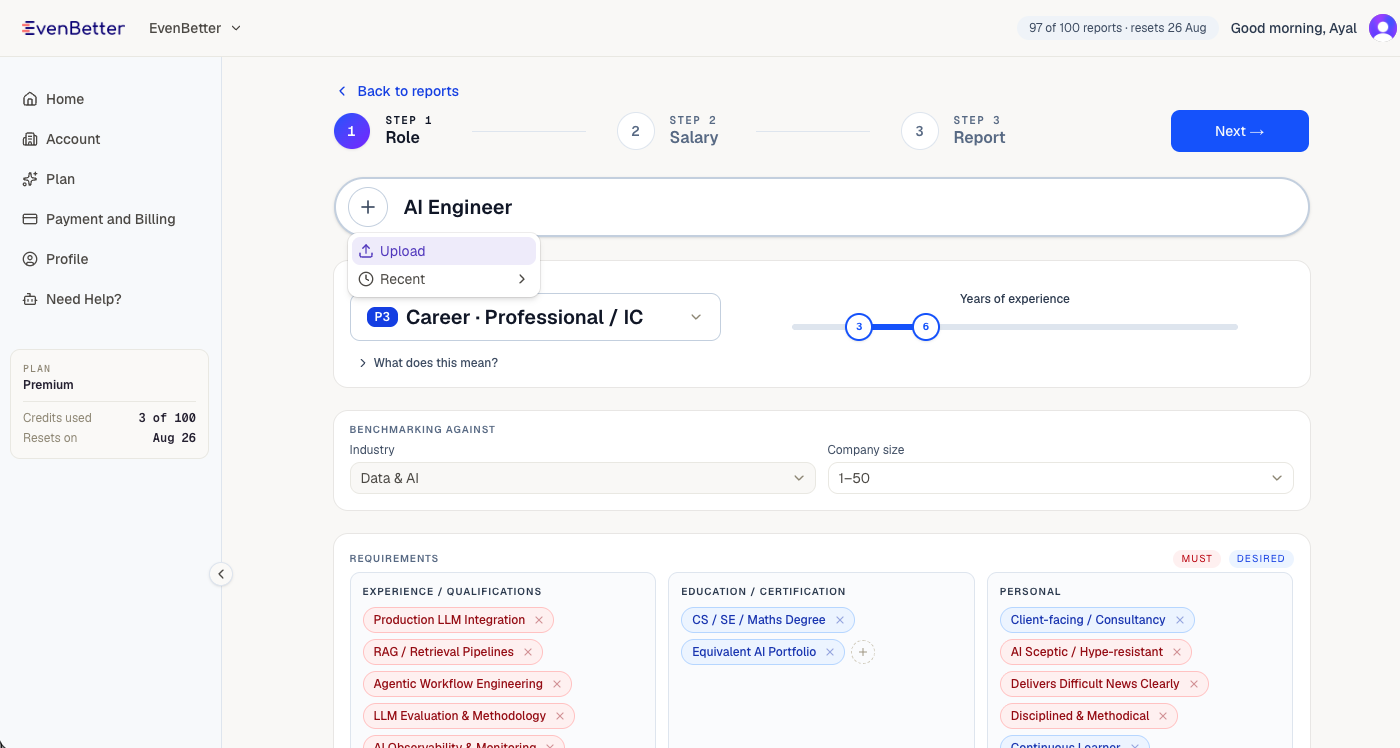
Check what the AI extracted and adjust anything that isn't quite right:
- Seniority — the role type and level (e.g. Professional, Manager), plus a years-of-experience range.
- Benchmarking against — the industry and company size you want to compare to. Getting these right sharpens the market comparison.
- Requirements — the must-have and desired skills, qualifications and traits pulled from the JD. Add or remove chips so they reflect the role you're actually hiring for.
When the role looks right, select Next.
Step 2 — Set the offer and location
The second step captures what you're offering and where the role sits, so the benchmark compares like for like.
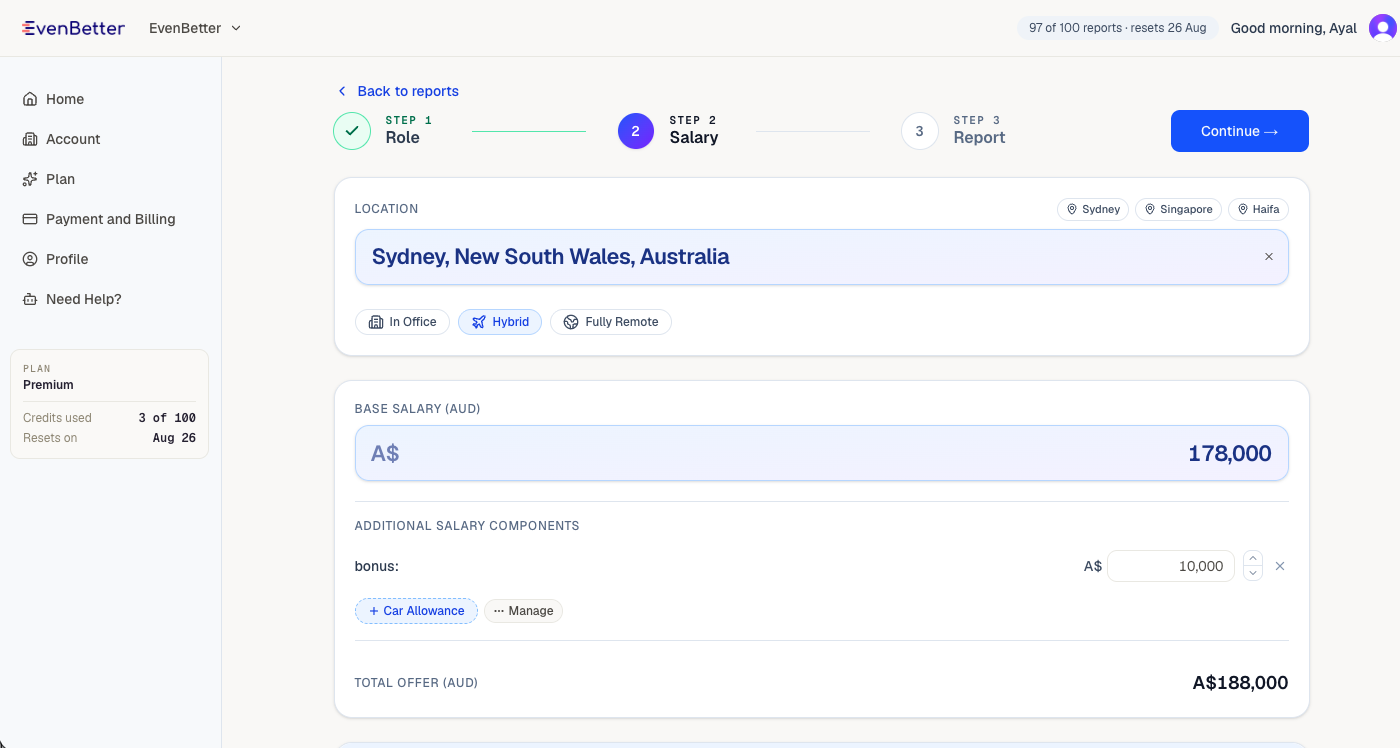
- Location and work mode — pick where the role is based (this sets the currency automatically) and whether it's in-office, hybrid or fully remote.
- Base salary — the fixed component of the offer, in the local currency.
- Additional components — add extras like bonus, equity or a car allowance. In Australia, superannuation is included so the total package reflects real employer cost.
The running total offer updates as you go. Select Continue when it's complete.
Step 3 — Review and benchmark
The final step is a single screen showing everything side by side: what you're hiring on the left, what you're offering on the right. It's your last chance to fix anything before spending a credit.
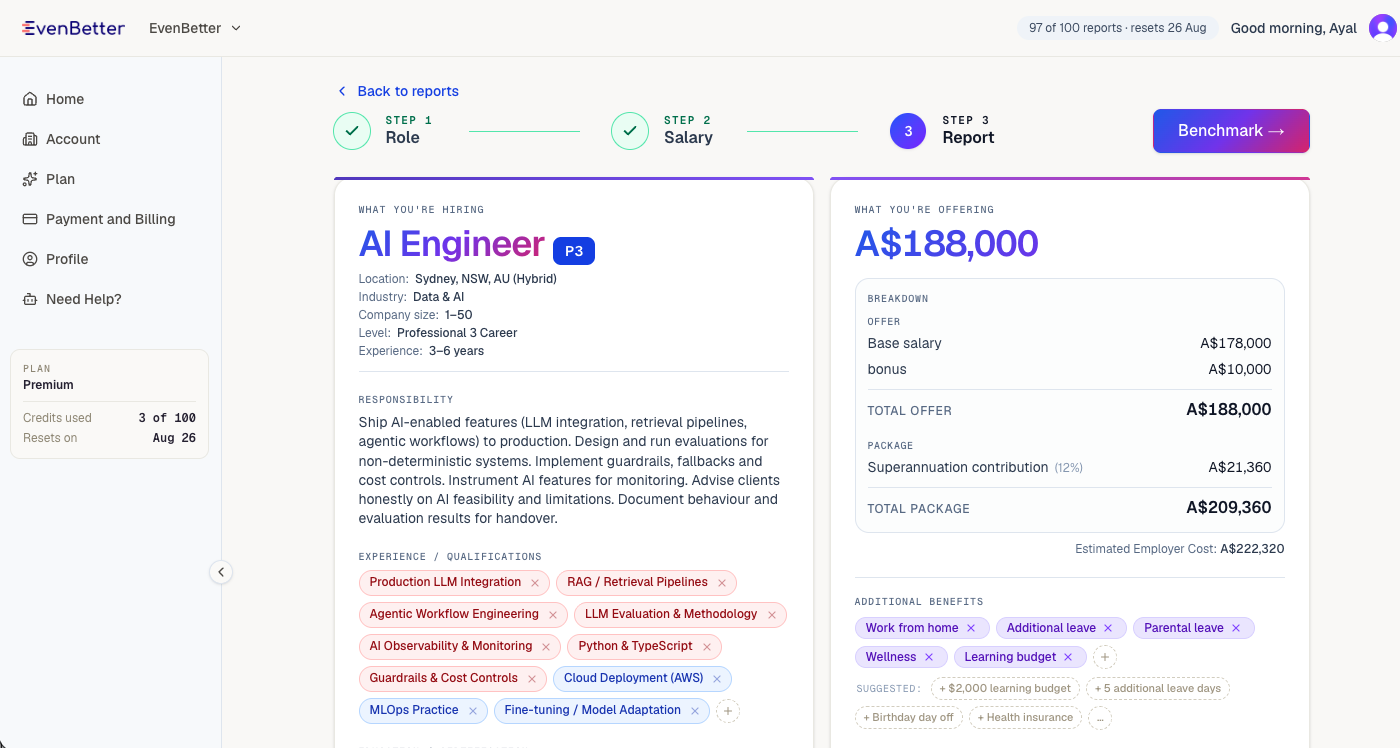
Give the requirements a final pass, confirm the package breakdown reads correctly, and select Benchmark. Generation runs in the background and usually takes a couple of minutes — you don't have to wait on the page. We'll email you the moment your report is ready.
Reading your report
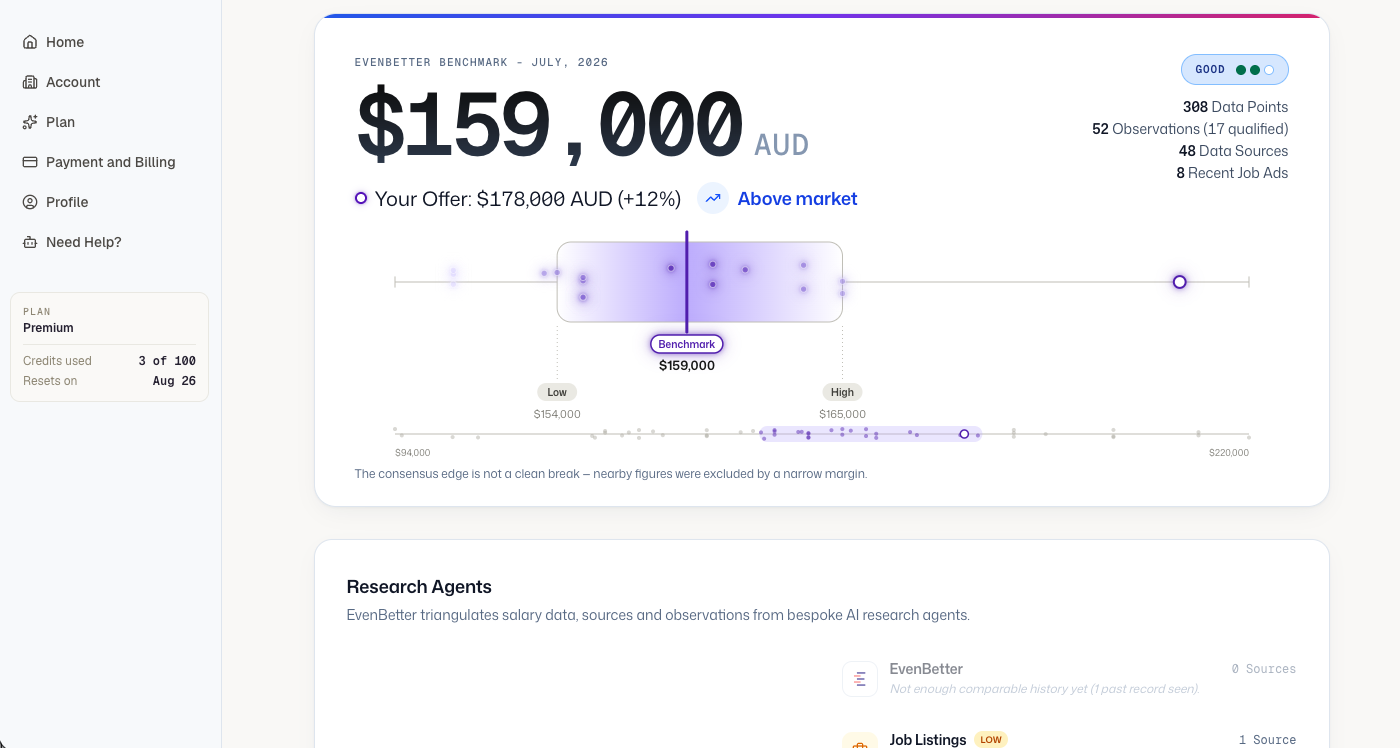
Your report opens with the headline benchmark: a single market figure for the role, with a low and high band around it, and your offer plotted against the range.
A few things to look at first:
- The benchmark and your offer — the headline figure is the market rate; the marker shows where your offer lands and by how much it's above or below.
- Signal strength — a rating (Low, Good, Excellent) that tells you how much agreement there is across the data. Higher signal means a tighter, more reliable range.
- The evidence — the report shows how many data points, sources and recent job ads went into the number. EvenBetter triangulates live job listings, salary data and multiple AI research agents rather than leaning on a single stale survey. See our methodology for how those sources are weighted.
That's it — you've produced your first benchmark. From here you can share the report, tweak the offer and re-run it, or benchmark the next role. If you're building out a whole structure, how to benchmark salaries covers the wider workflow.
Ready to benchmark your salary?
Paste a job description. Get a market salary range with full sources breakdown.
Run your own benchmarkRelated articles
How to benchmark salaries for your company: a step-by-step process
A step-by-step process for benchmarking salaries at your company — from defining roles and choosing data sources to setting ranges you can defend.
What is salary benchmarking? A complete guide for employers
What salary benchmarking is, how it works, and how employers use it to set fair, market-accurate pay — a practical guide for HR, finance and TA teams.